Planning Solutions for a
more Sober Society.
PlanningForce’s tools and methodologies are designed to help value organizations make the transition to a more sober, circular and sustainable economy.
scroll down
|
Planning Solutions for a
more Sober Society.
PlanningForce’s tools and methodologies are designed
to help value organizations make the transition
to a more sober, circular and sustainable economy.
scroll down
|







BLOG
Highlighted News and Articles
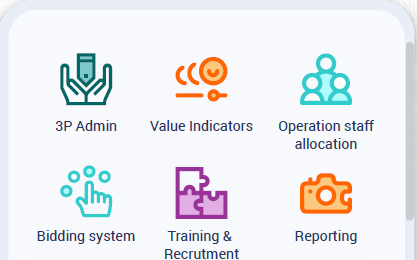
3P – PlanningForce planning platform We’ve entered a new era of planning solutions
Our new PlanningForce Planning Platform (3P) has arrived! Contact us to discover the breathtaking capabilities and futuristic ergonomics of our new planning concept.
Delhez Tôlerie going live with PlanningForce
Delhez is going live with our latest S&OP solution in connection With their in-house ERP and MES systems. Contact us to discover more about this very innovative case.

PCRU Brussels and New Haven have extended the use of PlanningForce
In their journey to improving their capacity to better anticipate future demand, PCRU Brussels and New Haven have implemented new modules of PlanningForce.
ENTERPRISE LEAN PLANNING
Time has come to implement new models
Resources and agility are the new levers of management
The progress of our economy has always been tied to our ability to find new ways to overcome challenges.
The world we are entering stresses the importance of all types of resources, be they natural, human or informative.
As resource capacities are not infinite, future progress will rely on our intelligence to use them in the most adequate, agile and sustainable way.
Enterprise Lean Planning is a new management system that focuses on agility and resources to help companies reach their next level of development.
TESTIMONIALS
What Customers say about PlanningForce

The use of PlanningForce as central planning system, integrated with the ERP and other Information System tools, made it possible to integrate, automate and optimize key processes and management flows (sales, production, resources, procurement, logistics, etc) and to achieve a fully automated order to production process, raising commercial effectiveness and virtually eliminating delivery delays.
As Supply Chain Manager, I use PlanningForce as a true orchestrator of all production-related processes and flows. This covers the management of business assumptions, tactical and operational planning of all production and resources (personnel, contractors and equipment), monitoring project execution, etc. The intelligence implemented in the interface with our D365 has enabled us to make better use of it and to make the entire value chain faster and more reliable.
ENTERPRISE LEAN PLANNING
Time has come to implement new models
Resources and agility are the new levers of management
The progress of our economy has always been tied to our ability to find new ways to overcome challenges.
The world we are entering stresses the importance of all types of resources, be they natural, human or informative.
As resource capacities are not infinite, future progress will rely on our intelligence to use them in the most adequate, agile and sustainable way.
Enterprise Lean Planning is the new management system that focuses on agility and resources to help companies reach their next level of development.




TESTIMONIALS
What Customers say about PlanningForce
The use of PlanningForce as central planning system, integrated with the ERP and other Information System tools, made it possible to integrate, automate and optimize key processes and management flows (sales, production, resources, procurement, logistics, etc) and to achieve a fully automated order to production process, raising commercial effectiveness and virtually eliminating delivery delays.
As Supply Chain Manager, I use PlanningForce as a true orchestrator of all production-related processes and flows. This covers the management of business assumptions, tactical and operational planning of all production and resources (machines, personnel and equipment), generation of cash flow forecasts, monitoring of shop floor execution, etc. The intelligence implemented in the interface with our SAP has enabled us to make better use of it and to make the entire value chain faster and more reliable. For me, PlanningForce is the best investment we have made in my 32 years at Mecar.

SOLUTIONS
What we do



SOLUTIONS
What we do
Strategic
Steering
Strategic steering makes it possible to conceive scenarios and formulate, monitor and adapt the long-term strategic vision for your business

Tactical
Steering
Tactical steering is at the heart of the value chain, optimizing decision-making and regulating flows through the orchestration of PDCA cycles.

Operational
Steering
Operational Steering is focused on carrying out business activities in conformity with what was defined at the stage of tactical planning.

Industries
Where we excel


INDUSTRIES
Where we excel

New Product Entry
Plan your design offices as well as the prototyping, industrialization, and production phases in a fully integrated way.

Life Sciences
Plan your development project teams, your laboratories, your certification teams, and your units dedicated to clinical studies.

Manufacturing
Reduce bottlenecks associated with complex processes, juggle transitory demand, & optimize purchasing and stockpiling.

CASE STUDIES
Our experience
Johnson & Johnson chooses PlanningForce to plan its phase 1 clinical studies and all necessary resources such as beds, nurses, doctors, laboratory, pharmacy, etc. and to interact optimally with them based on the results of this plan.